

Bonus
Exp +31%
Loot +31%
Exp +31%
Loot +31%
Hero Renegashed
YurOTS 1


Top 5 Exp Today
YurOTS 1
PaladinoExp Today:
365,484,341
365,484,341
WachitaExp Today:
346,767,904
346,767,904
MinitaExp Today:
339,712,013
339,712,013
Axl SilverearthExp Today:
116,142,008
116,142,008
Zayon DruiidExp Today:
95,600,251
95,600,251
YurOTS 2
ZinzaExp Today:
73,053,252
73,053,252
BaretaExp Today:
13,510,785
13,510,785
AiororExp Today:
1,828,880
1,828,880
Dua LipinhaExp Today:
1,536,710
1,536,710
BauxitinheisExp Today:
1,470,375
1,470,375
YurOTS 1 · Week
MinitaExp Week:
1,010,915,615
1,010,915,615
PaladinoExp Week:
962,523,778
962,523,778
WachitaExp Week:
957,194,050
957,194,050
GuizinExp Week:
375,311,423
375,311,423
Arion StormExp Week:
344,626,359
344,626,359
YurOTS 2 · Week
ZinzaExp Week:
353,285,656
353,285,656
BaretaExp Week:
96,530,233
96,530,233
BauxitinheisExp Week:
12,332,775
12,332,775
Dua LipinhaExp Week:
12,258,525
12,258,525
EtvaldoExp Week:
7,180,889
7,180,889
Top 5 Players
Top 5 Killers
YurOTS 1
RoyalcannabisKills:
29
29
Sopa Du MacacoKills:
24
24
DruidazsoKills:
21
21
AknotsKills:
14
14
Lady ArwenKills:
13
13
Characters For Sale
Zila BlueoceanElite Knight
Level: 208
Level: 208
HaxixeElite Knight
Level: 462
Level: 462
Black SkullElite Knight
Level: 218
Level: 218
Baby GirlElder Druid
Level: 200
Level: 200
PkpilantraRoyal Paladin
Level: 346
Level: 346
Supply Box
(November)

 Key BunchGuaranteed
 Box Magic ShopGuaranteed
 Tiguer Trophy10.0% Chance
 Crocodile Trophy10.0% Chance
 Blood Herb10.0% Chance
 Backpack10.0% Chance
 Super UH10.0% Chance
 Super SD10.0% Chance
 Crystal Coin10.0% Chance
 Platinum Coin10.0% Chance
 Auto Loot Time10.0% Chance
 Soul Rune10.0% Chance
 Special ItemMonthly Bonus
 Brotherhood Outfit TokenEvery 8 boxesKey BunchGuaranteedBox Magic ShopGuaranteedTiguer Trophy10.0% ChanceCrocodile Trophy10.0% ChanceBlood Herb10.0% ChanceBackpack10.0% ChanceSuper UH10.0% ChanceSuper SD10.0% ChanceCrystal Coin10.0% ChancePlatinum Coin10.0% ChanceAuto Loot Time10.0% ChanceSoul Rune10.0% ChanceSpecial ItemMonthly BonusBrotherhood Outfit TokenEvery 8 boxes
| Version | Download | Image | Description |
|---|---|---|---|
| WindowsInstaller | Download installer EXE · 288 MB |  |
Full installer with Hunt Atlas and GPS. Creates a desktop shortcut. |
| AndroidTibinha Mobile | Download 64-bit APK · 272 MB 32-bit · Test APK · 271 MB |  |
The 64-bit version is recommended. The 32-bit APK is in testing for devices that only support 32-bit apps. |
| Linux64-bit · Test | Download Linux TAR.GZ · 297 MB |

|
Native x86-64 client, tested on Ubuntu 22.04. See the help section for launch instructions. |
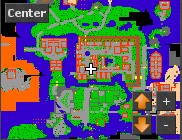
Map
To install the full minimap on Windows, close Tibinha and extract the ZIP into this folder: %AppData%\OTClientV8\otclientv8
Client help
Windows warning when opening the installer
SmartScreen may display a warning because the installer is unsigned. Verify that you downloaded it from downloads.tibinha.com.
How to reset the OTClient data folder on Windows
- Close Tibinha. Press Win + R and enter
%AppData%.
- Rename the OTClientV8 folder to OTClientV8-backup to keep a copy of your current data.
- Open Tibinha again to recreate the client data. If needed, use the Windows button above to reinstall.
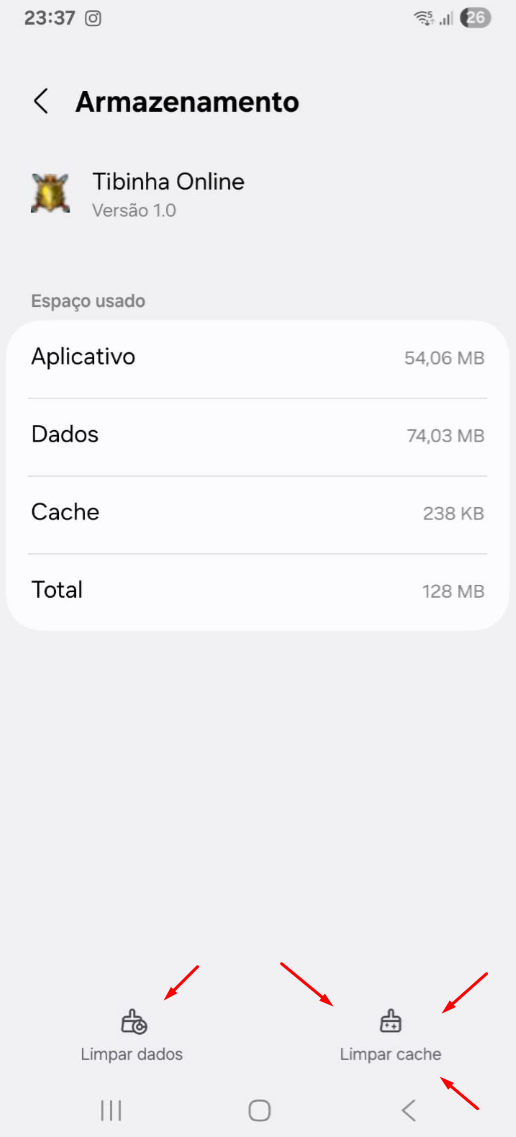
How to reset app data on Android
In Android settings, open Tibinha Mobile under Apps and look for the option to clear data or storage. This may erase settings and maps stored on your device.
How to run Tibinha on Linux
Extract the archive, open a terminal in the extracted folder and run ./Tibinha_linux.
Notice about bots
We do not support bots and recommend avoiding fully AFK play and automatic reconnect.

Engine TFS Cn Soft | Terms of Service | Refund Policy | Privacy Policy